How to save and restore window layouts on a Mac
Published November 15, 2026 · By the Qather team · macOS 26 and later
Every morning it's the same: open the apps, drag the windows into place, and repeat it on each desktop you use. macOS has pieces that help with the shapes and the places, but it can't save a layout of windows and bring it back later. This guide covers what macOS can do on its own, then how Qather saves a layout as a profile and restores it in one click.
What macOS can do with windows
Tile a window
macOS tiles a window when you drop it on a side of the screen (half) or on the menu bar (full screen); System Settings → Desktop & Dock can switch either one off. The Window menu → Move & Resize offers the same layouts. The keyboard works too:
- Fn Control ←, →, ↑ or ↓ tiles the window in front to that half of the screen.
- Fn Control F fills the screen with it.
- Fn Control C centers it.
- Fn Control R puts it back to its size before you tiled it.
Keep an app on one desktop
Control-click an app's icon in the Dock and choose Options → Assign To → This Desktop. From then on, that app's windows open on this desktop.
Let apps reopen their windows
Turn off “Close windows when quitting an application” in System Settings → Desktop & Dock. An app can then reopen its windows the next time you start it.
What's missing
None of these puts a set of apps and windows back on several desktops and displays at once. Each one helps with one window or one app.
Save layouts as profiles with Qather
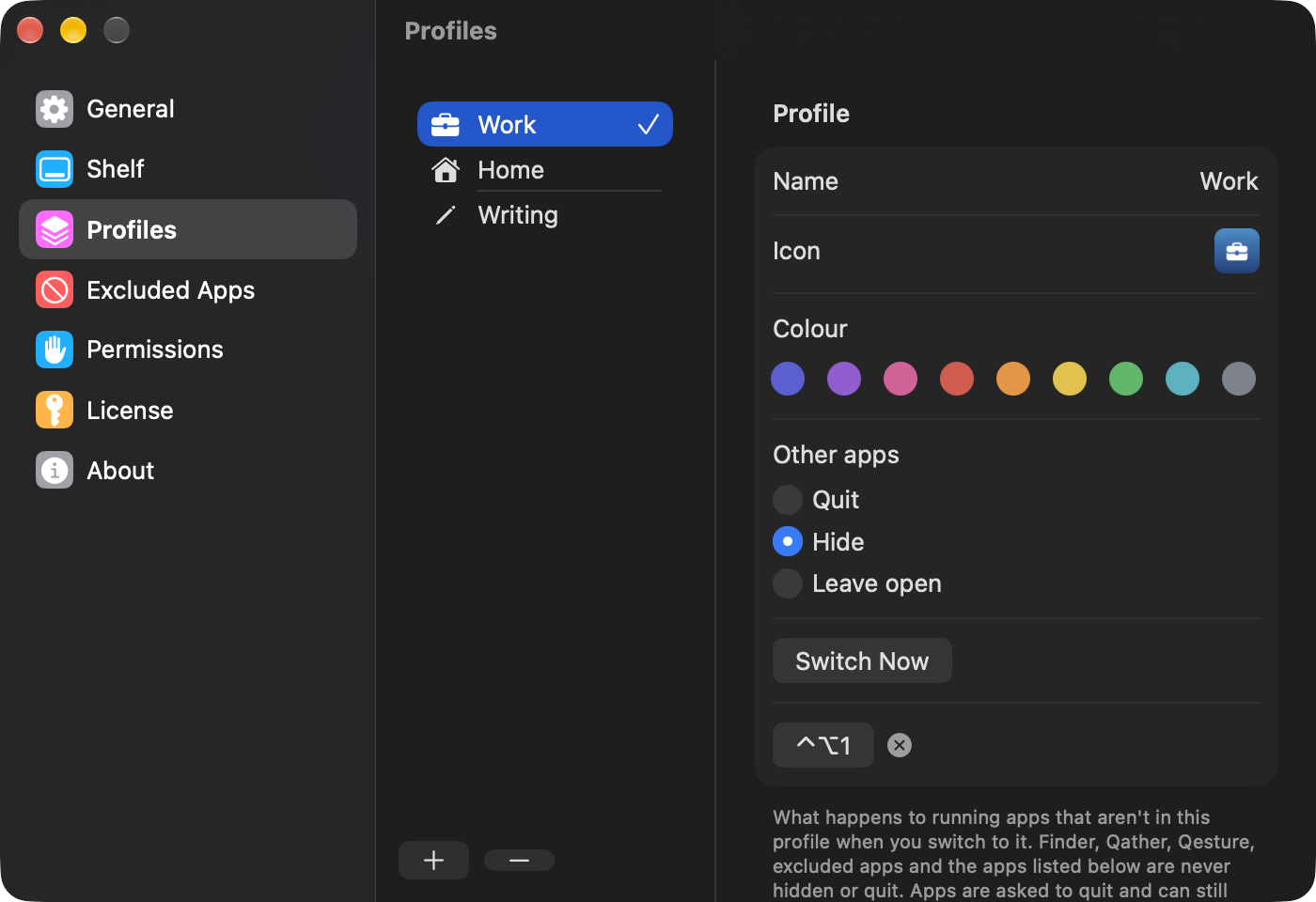
A profile is a set of windows saved under a name, like Work or Home. Save the windows you have open, then switch back to that profile in one click and the windows return to their places. Save Current Layout keeps the windows on every space and display. You can switch from the shelf, the menu bar or a keyboard shortcut. Switching opens the profile's apps and puts their windows back. Apps outside the profile can quit, hide or stay. One limit comes from macOS: it doesn't let an app move another app's window to a different desktop. A window already open on another desktop stays there and is put in its place on that desktop, and a minimized window comes back on the desktop on screen.
Questions
Can Qather move a window to another desktop?
It can't. macOS doesn't allow it. A window that is open on another desktop is put in its place there, and a minimized one returns on the desktop you're looking at.
What happens to apps that aren't in the profile?
You choose: they can quit, hide or stay open when the profile takes over.