Where do minimized windows go on a Mac, and how to get them back
Published November 15, 2026 · By the Qather team · macOS 26 and later
Minimizing a window gets it out of the way without closing it. macOS sends it to one end of the Dock, out of the flow of your work, and there are a few ways to bring it back. Once you have more than a couple of them, finding the one you want takes a moment. This guide covers minimizing, hiding and the ways back, then how Qather keeps those windows in a stack on the shelf.
How to minimize a window
Minimize the window in front with ⌘ M or with the yellow button at its top left. To minimize all the windows of the app in front at once, press ⌥ ⌘ M.
Another way in, if you want it: in System Settings → Desktop & Dock, set “Window title bar double-click action” to Minimize.
Where do minimized windows go?
They go to the right end of the Dock, next to the Trash. Each one shows there as a small picture of the window, so a row of minimized windows fills that end of the Dock.
If you'd rather keep the Dock short, turn on “Minimize windows into application icon” in System Settings → Desktop & Dock. Minimized windows then go into their app's icon instead of sitting at the right end.
How to get a minimized window back
There are three ways:
- Click its picture at the right end of the Dock.
- Control-click the app's icon in the Dock and choose the window from the menu.
- Choose it from the bottom of the app's Window menu.
Hidden is not the same as minimized
⌘ H hides a whole app with all of its windows. They come back when you click the app in the Dock or switch to it with ⌘ Tab. A minimized window leaves the screen but its app stays open; a hidden app takes every one of its windows with it.
See minimized windows with Qather
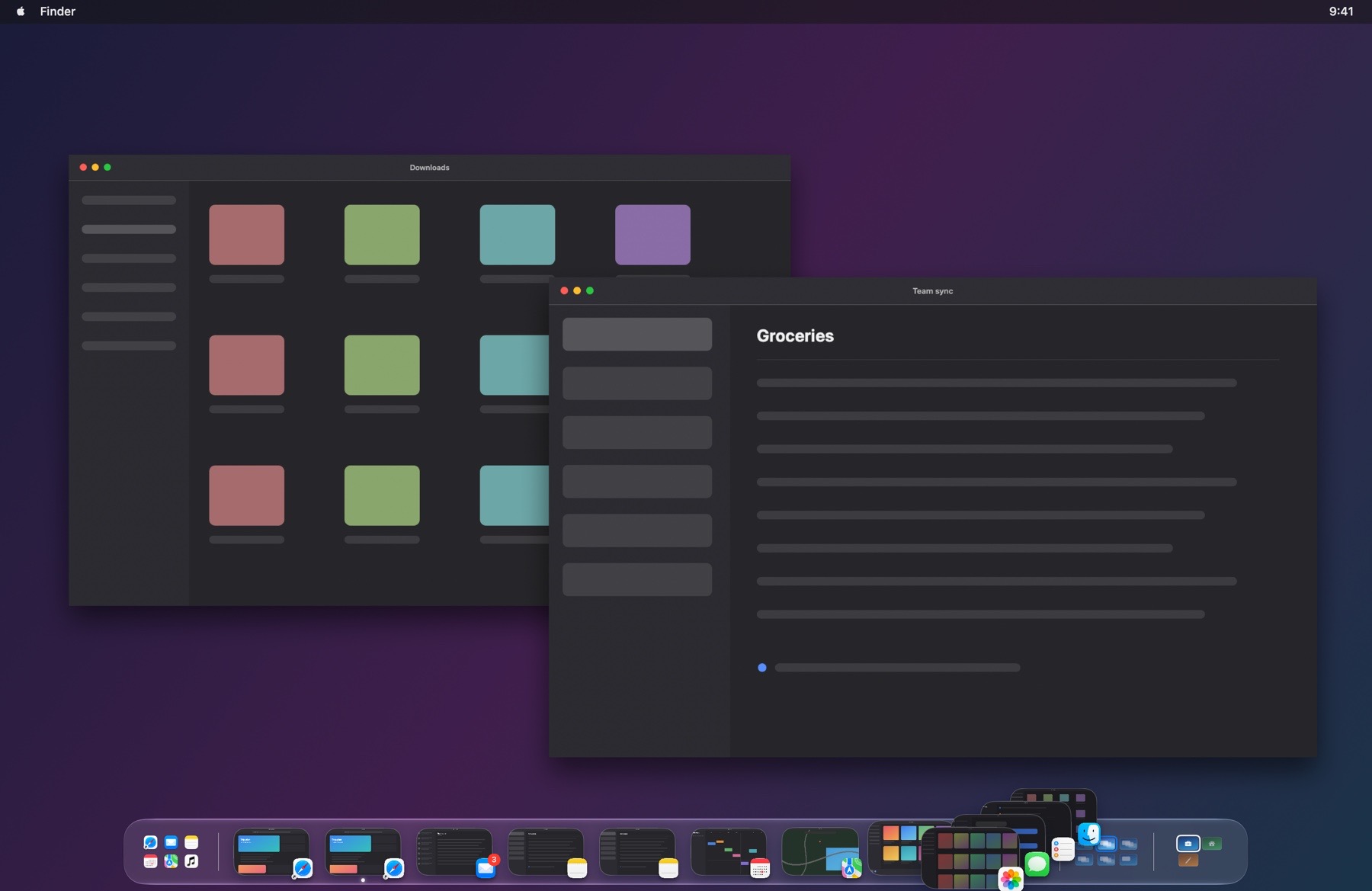
Qather's shelf shows every window of the space you're on, and the ones you can't see are not lost. Minimized, hidden and put-away windows wait in a stack after the separator, so the shelf stays short however many of them you have. A minimized window keeps its last picture on the shelf, dimmed, so you can still tell which window it is. Hover over the stack to fan it out. Click a window to bring it back, or open the stack as a row along the shelf.
Questions
Does Qather show hidden apps' windows too?
It does. A hidden app's windows sit in the same stack after the separator, next to the minimized ones.
Does it show minimized windows from other desktops?
Windows on your other spaces and displays are in the stack at the start of the shelf.