Press kit
Writing about Qather? Email contact@qeepl.com for a free license key.
Download everything (ZIP): the icon, screenshots, promotional images and the texts below.
In one line
All your windows, one glance away.
Short description
Qather puts every window of the space you're on in a glass shelf at the bottom of your Mac's screen, with live pictures, stacks, a launcher and profiles. Minimized and hidden windows wait in stacks, and your other spaces and displays are one click away. It's a one-time purchase from $14.99 with a 14-day free trial, for macOS 26 or later.
About Qather
Qather is a menu bar app for people who keep many windows open across spaces and displays. It gathers the windows of the space you're on onto a glass shelf at the bottom of the screen, so you can see and switch windows without Mission Control. Every feature can be turned off.
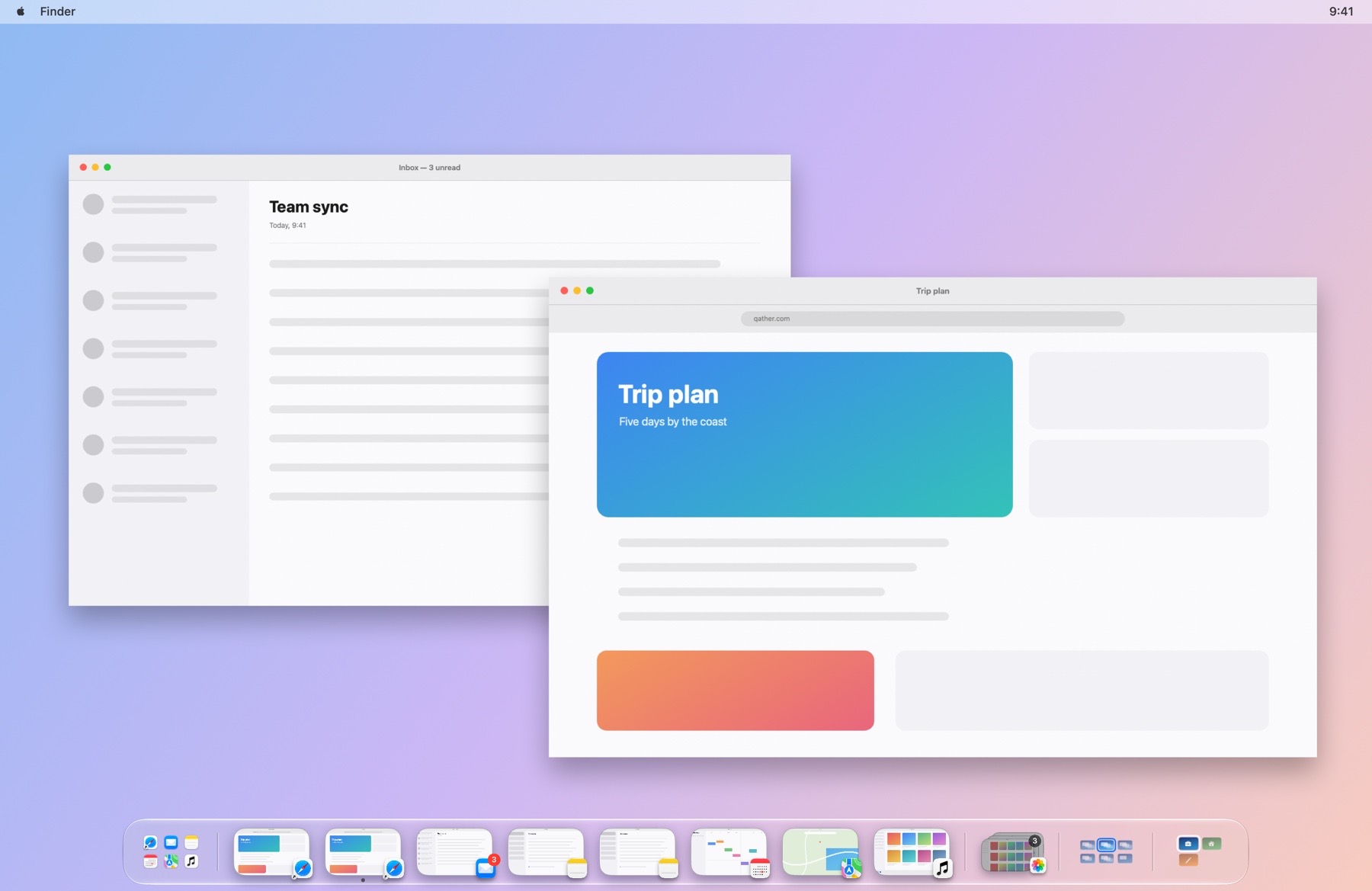
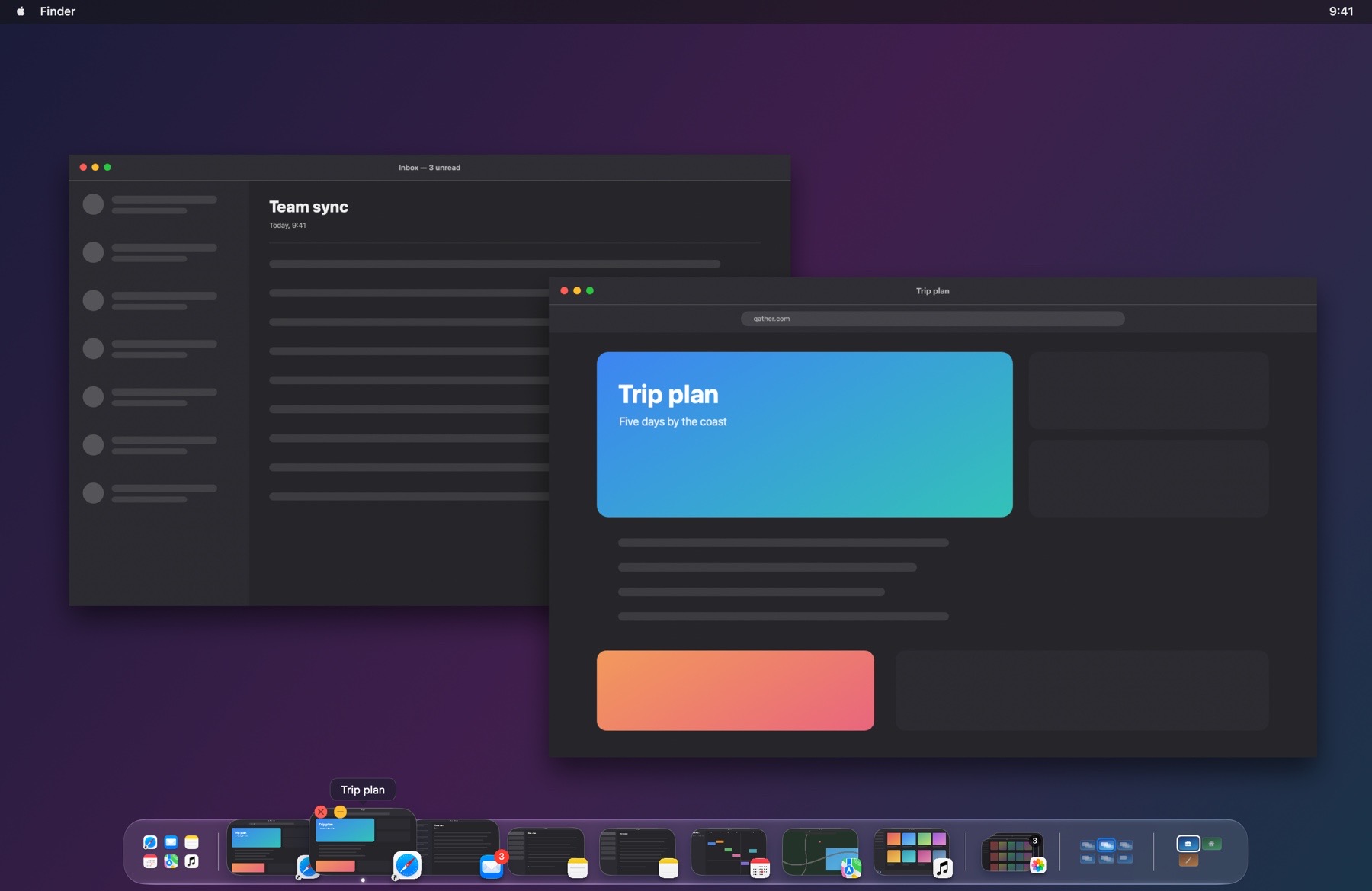
- The shelf. Every window of the space you're on, on a glass shelf at the bottom of the screen. Move the pointer to the bottom edge to bring it up, hover to magnify a window and see its title, click to bring it forward, or right-click to close, minimize, hide or quit it.
- Live pictures. Each window is a live picture with its app's icon, so two windows of the same app are easy to tell apart. Pictures follow the windows as they change, Dock badges show unread counts, and a dot marks the window you're in.
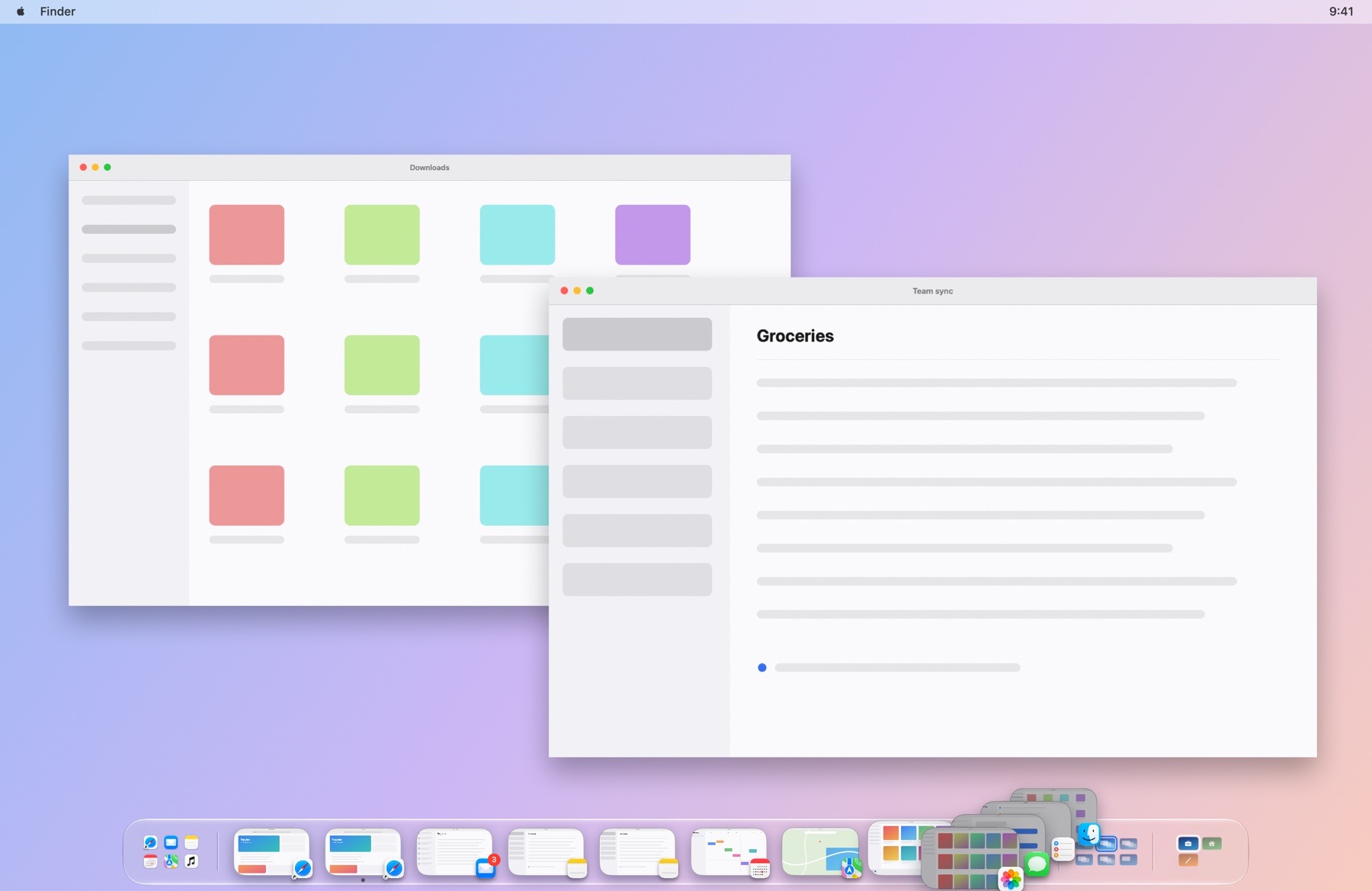
- Minimized and hidden windows. Minimized, hidden and put-away windows wait after the separator, stacked so the shelf stays short. Hover over the stack to fan it out, and click a window to bring it back.
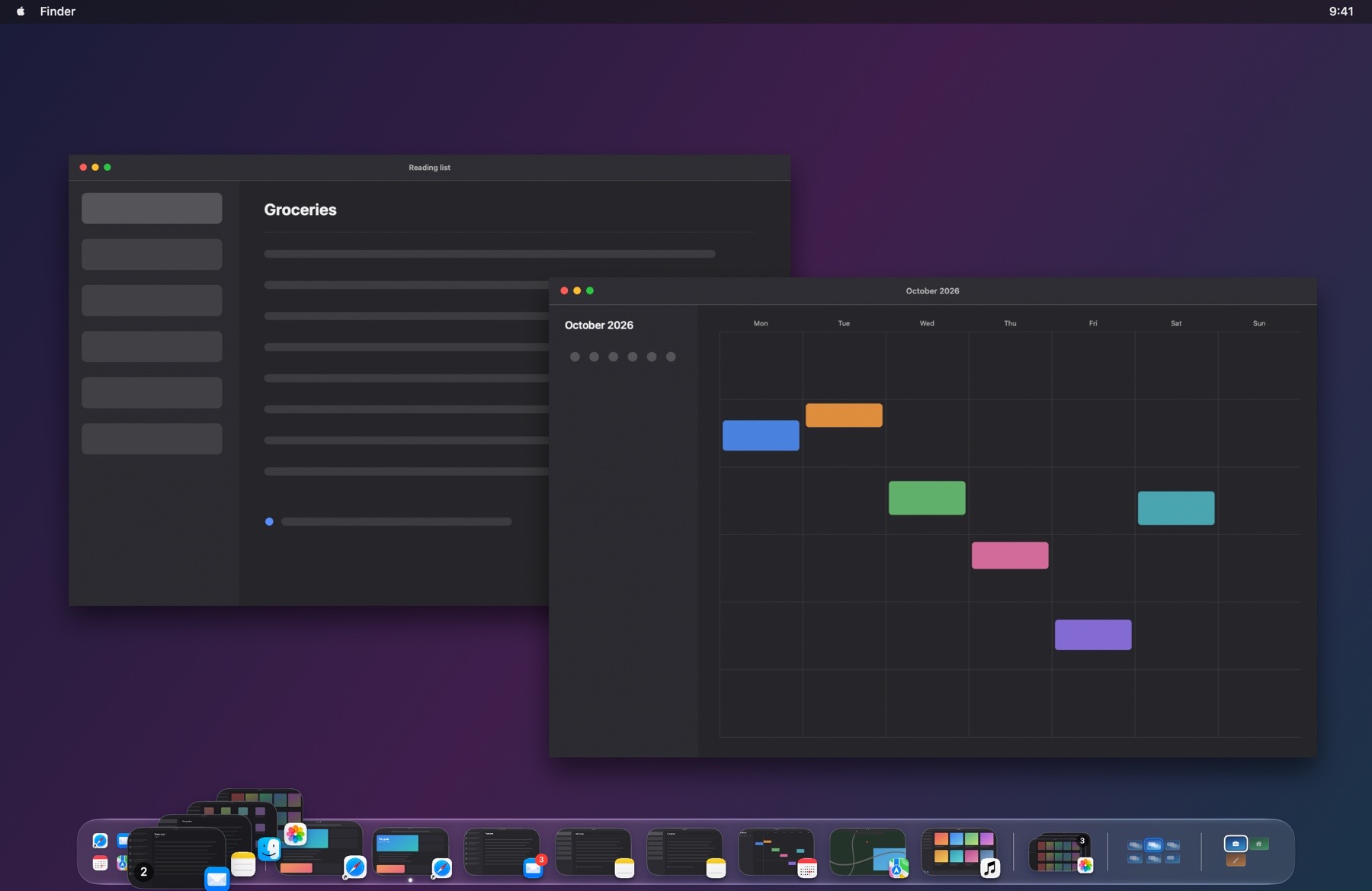
- Every space and display. Windows on your other spaces and displays are one click away, in a stack at the start of the shelf. An arrow shows which display a window is on, a number which space, and the grid at the end of the shelf shows your spaces.
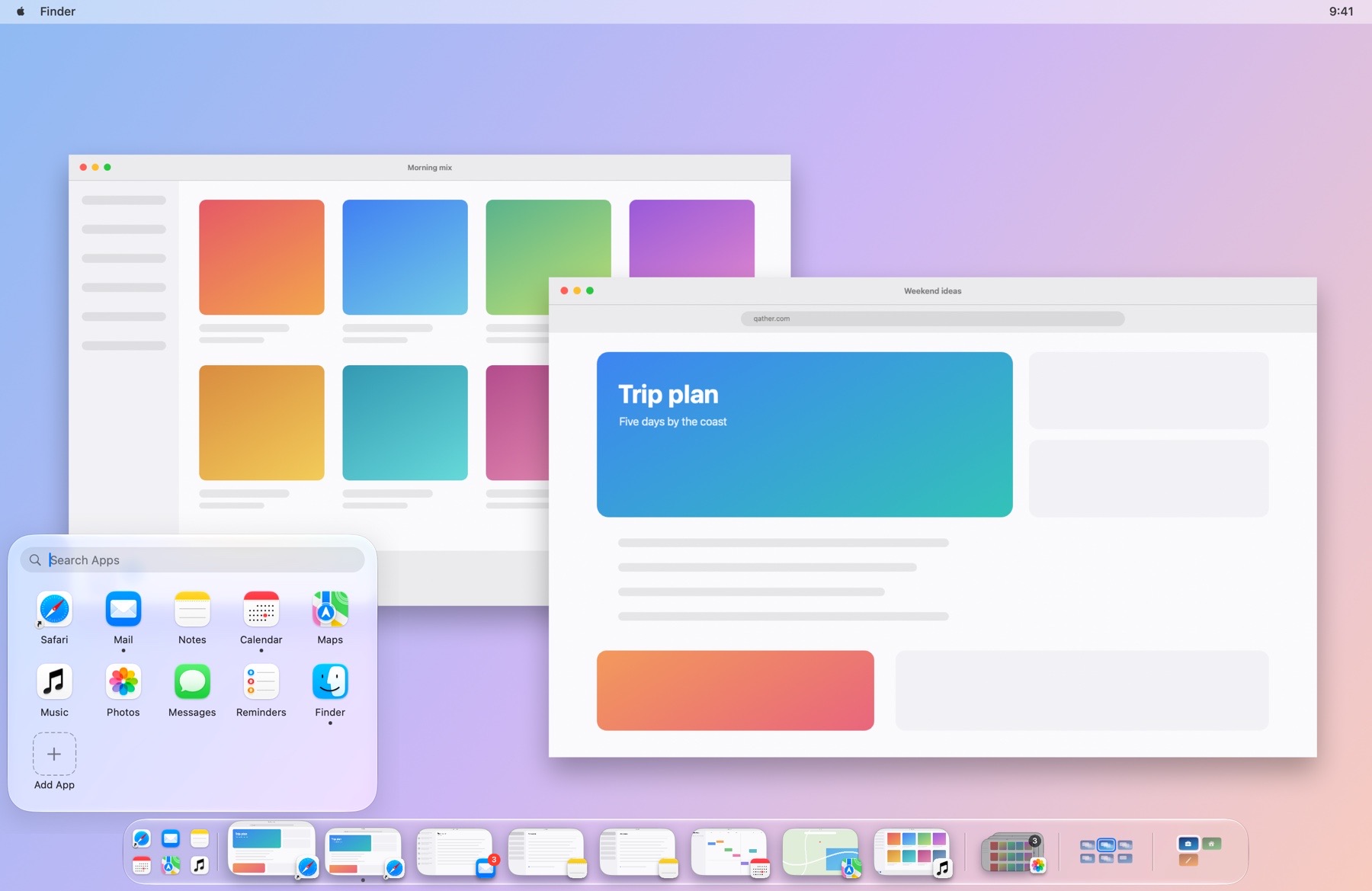
- Launcher. Your apps, at the start of the shelf. Click the launcher to open your apps five to a row, type to search every app on your Mac, add apps with +, and drag one out to remove it.
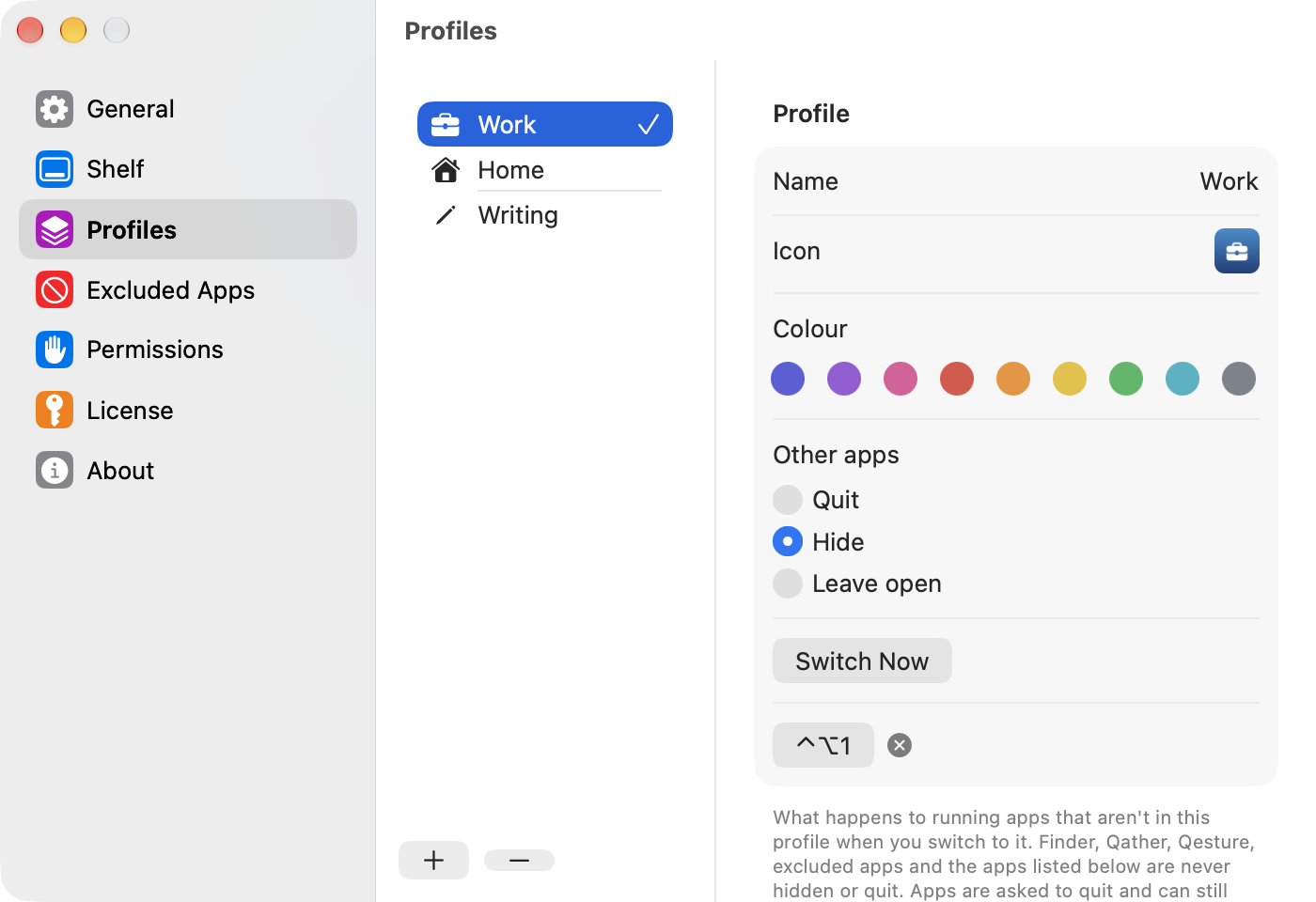
- Profiles. Save the windows you have open as a profile, like Work or Home, and switch back to it in one click. Save Current Layout keeps the windows on every space and display; switch from the shelf, the menu bar or a keyboard shortcut.
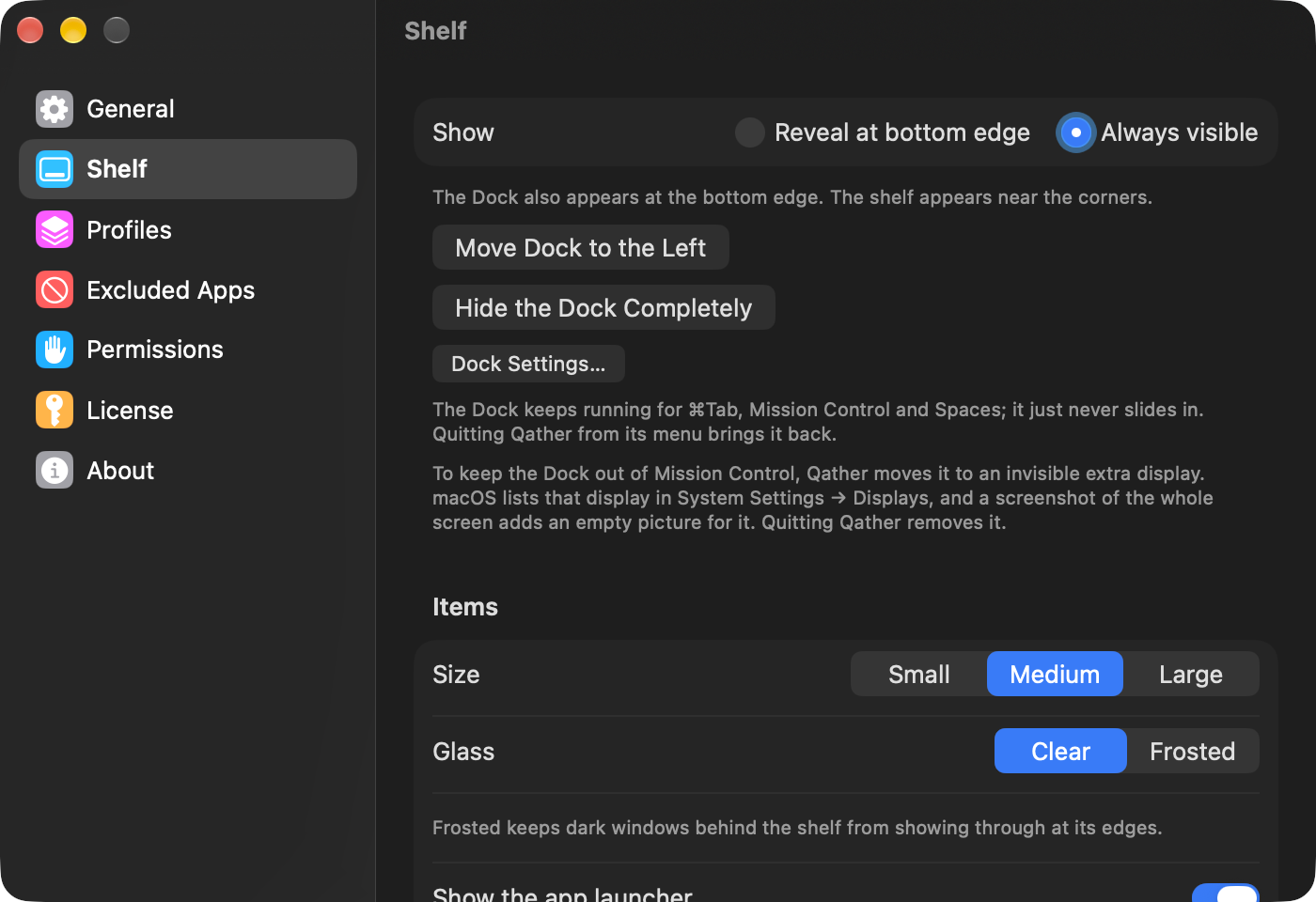
- Make room for the shelf. macOS doesn't let apps turn the Dock off or share its edge, so Qather offers to move the Dock to the left or hide it completely. A hidden Dock keeps ⌘Tab, Mission Control and Spaces working, and quitting Qather brings the Dock back as it was.
- Settings. Every feature can be turned off, and Settings is laid out like System Settings, so nothing's hard to find.
Facts
- Name
- Qather, with a Q
- Developer
- Qeepl, Inc., Delaware, USA
- Version
- 1.0
- Requires
- macOS 26 or later, Apple silicon. Accessibility access; Screen Recording optional for window pictures.
- Price
- One-time purchase: $14.99 for 1 Mac, $21.99 for 2, $26.99 for 3. Free updates for all 1.x versions.
- Trial
- 14 days, every feature, no card needed
- Language
- English
- Privacy
- No analytics, no tracking
- Where to get it
- qather.com. Signed with Apple's Developer ID and notarized by Apple.
- Contact
- contact@qeepl.com
Icon and screenshots
Screenshots of Qather on macOS 26, in dark and light mode, with made-up windows. Click an image for the full size.
 App icon, 1024 × 1024 PNG
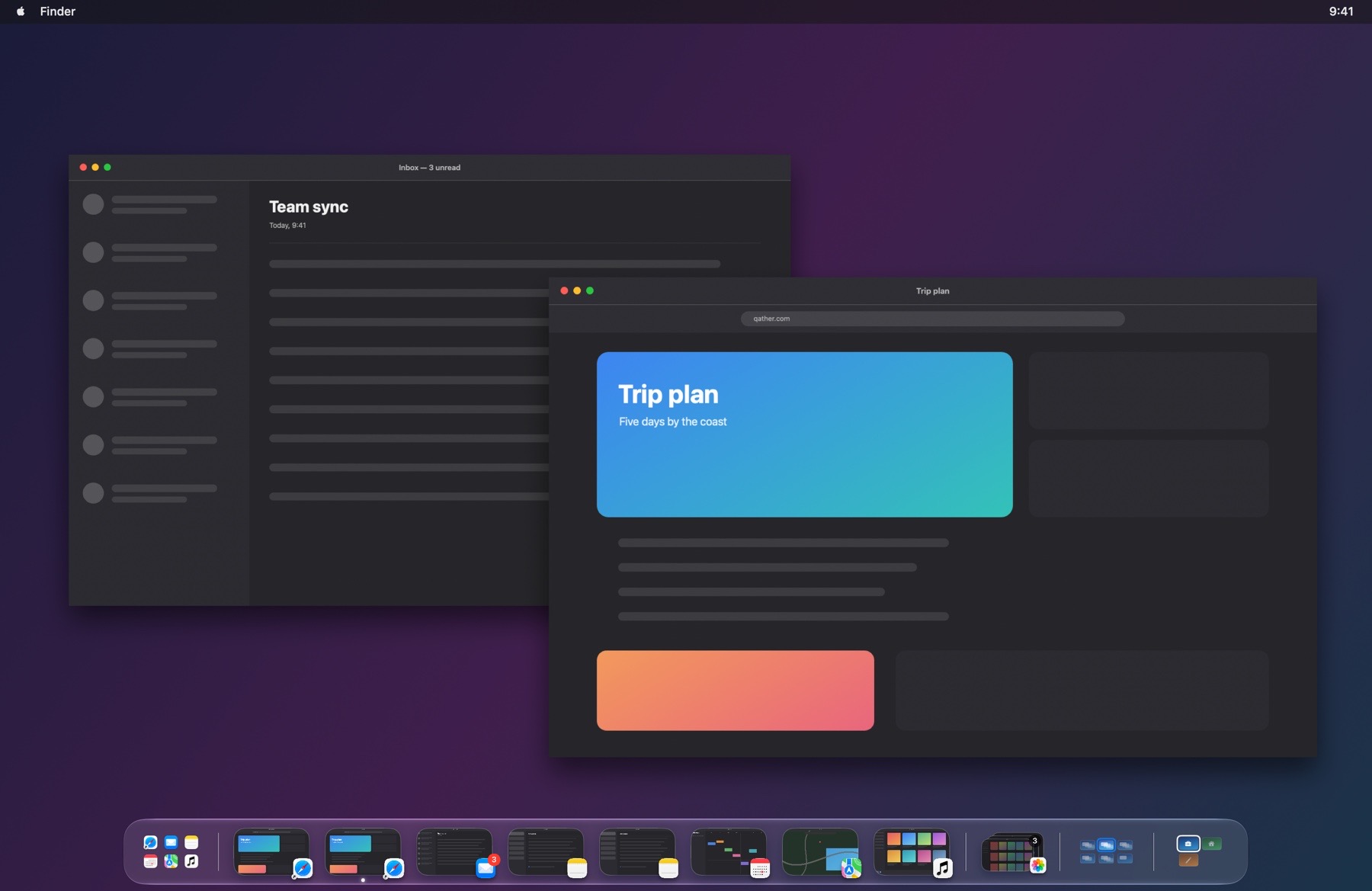 The shelf · light
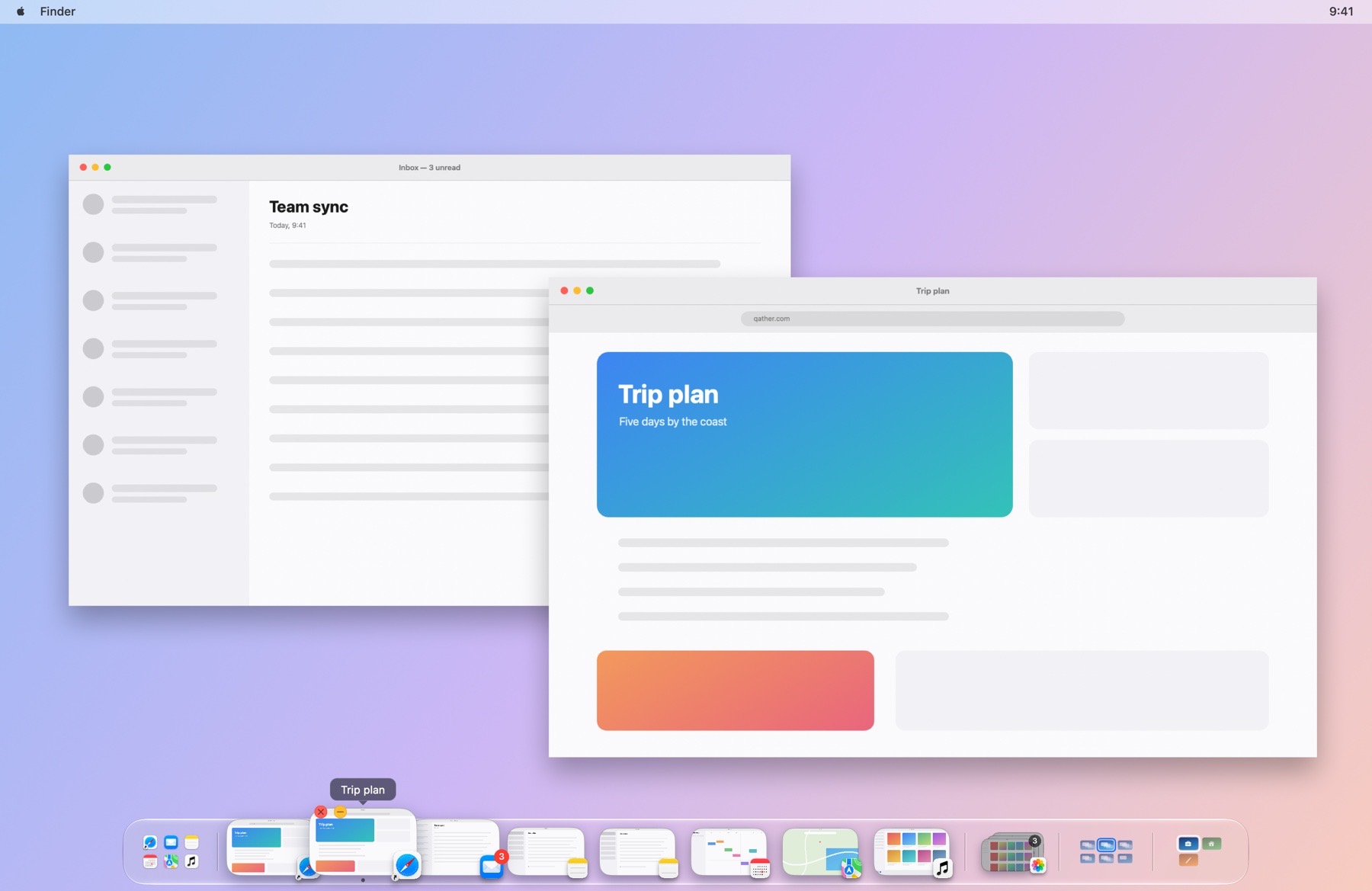 Magnified window · dark
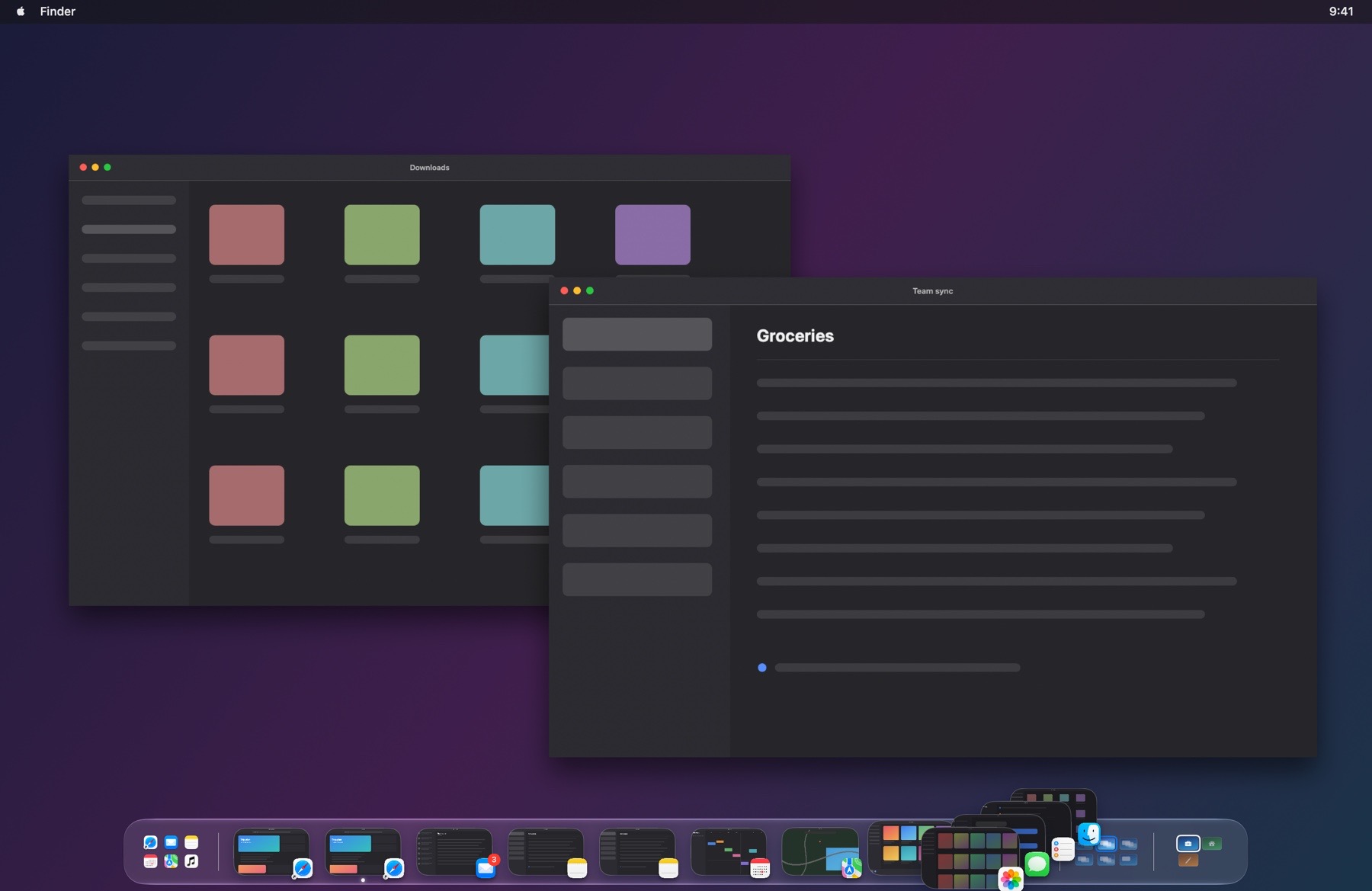 Minimized and hidden windows · light
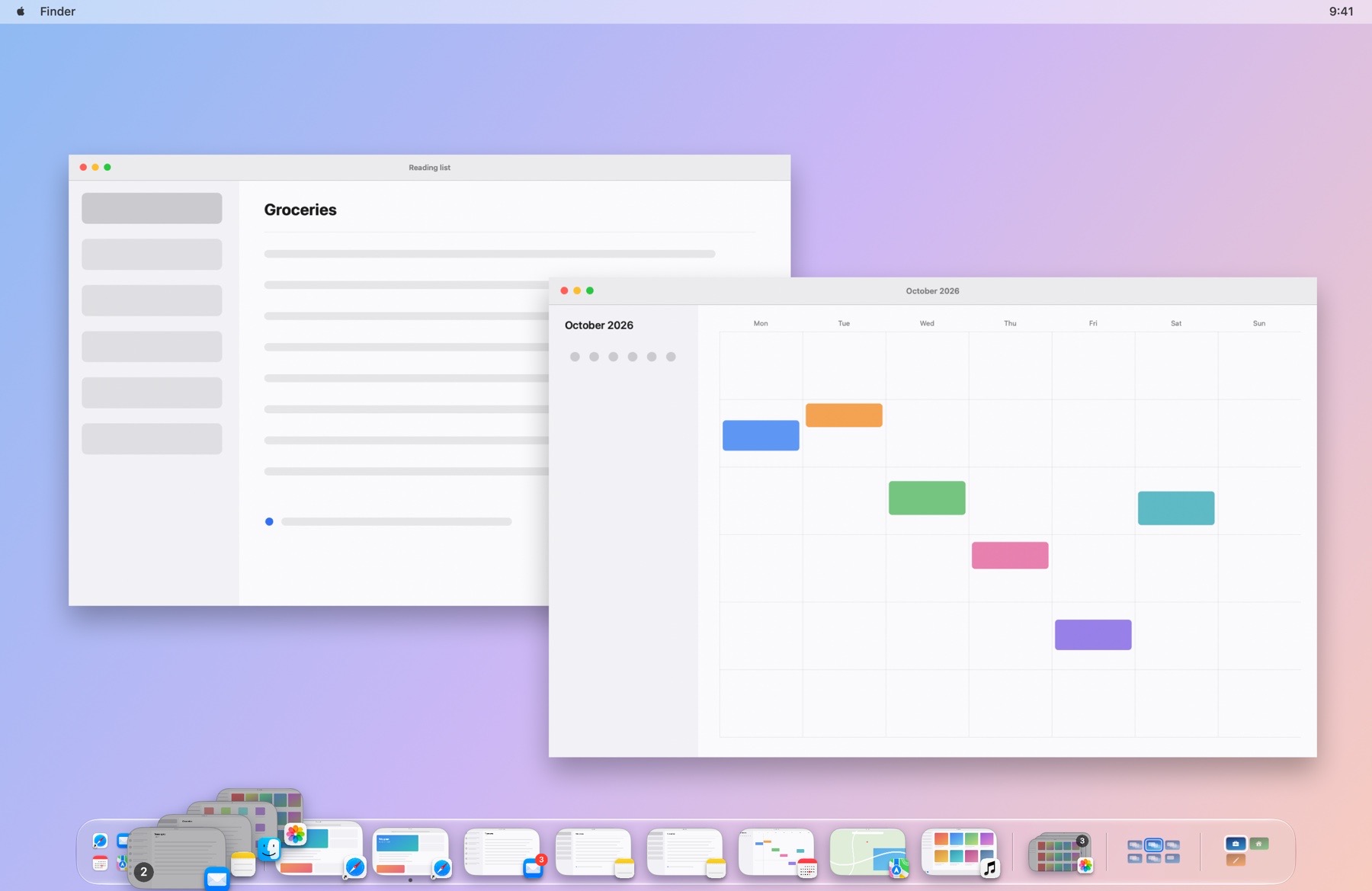 Every space and display · dark
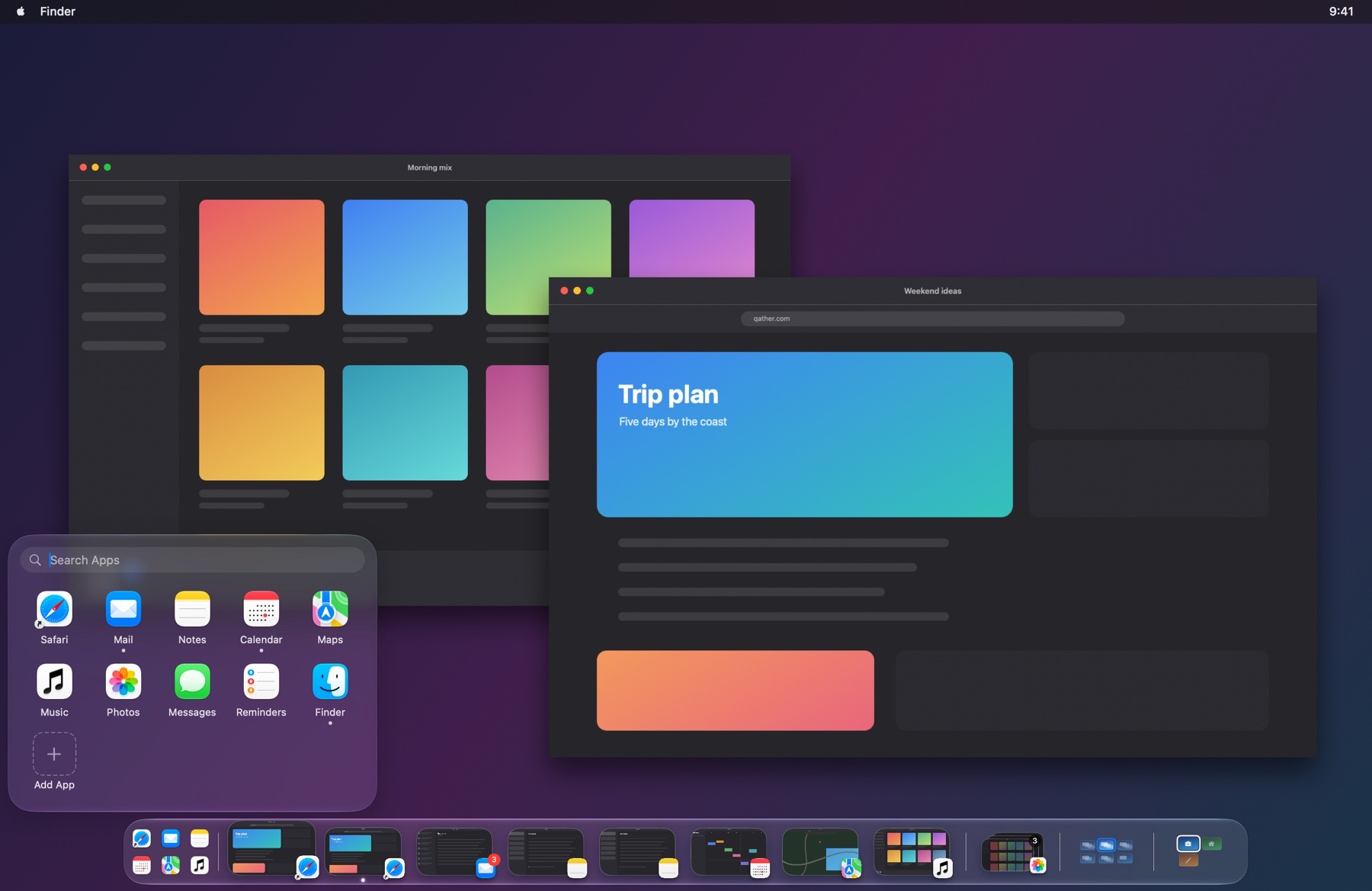 Launcher · light
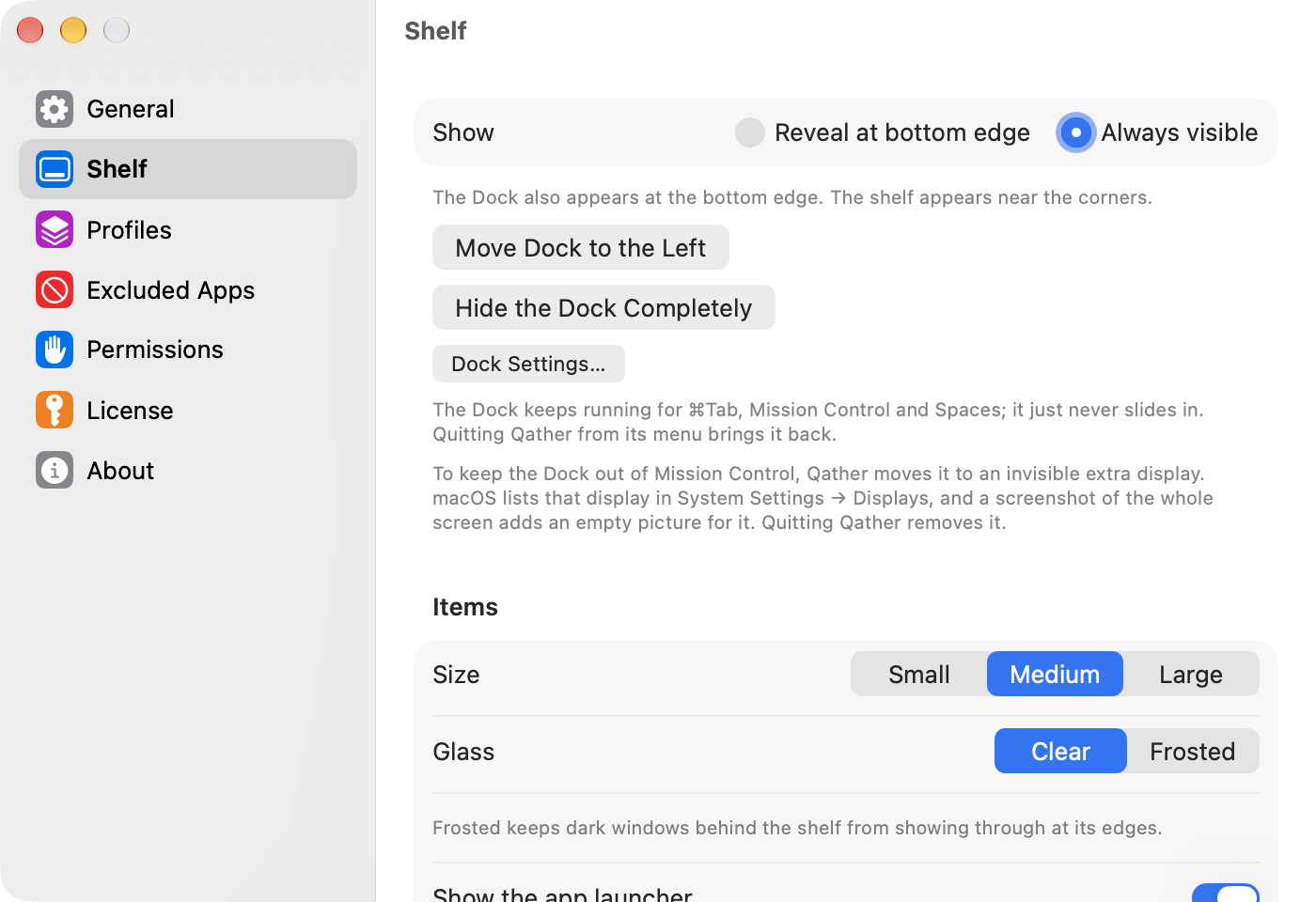 Settings: Shelf · dark
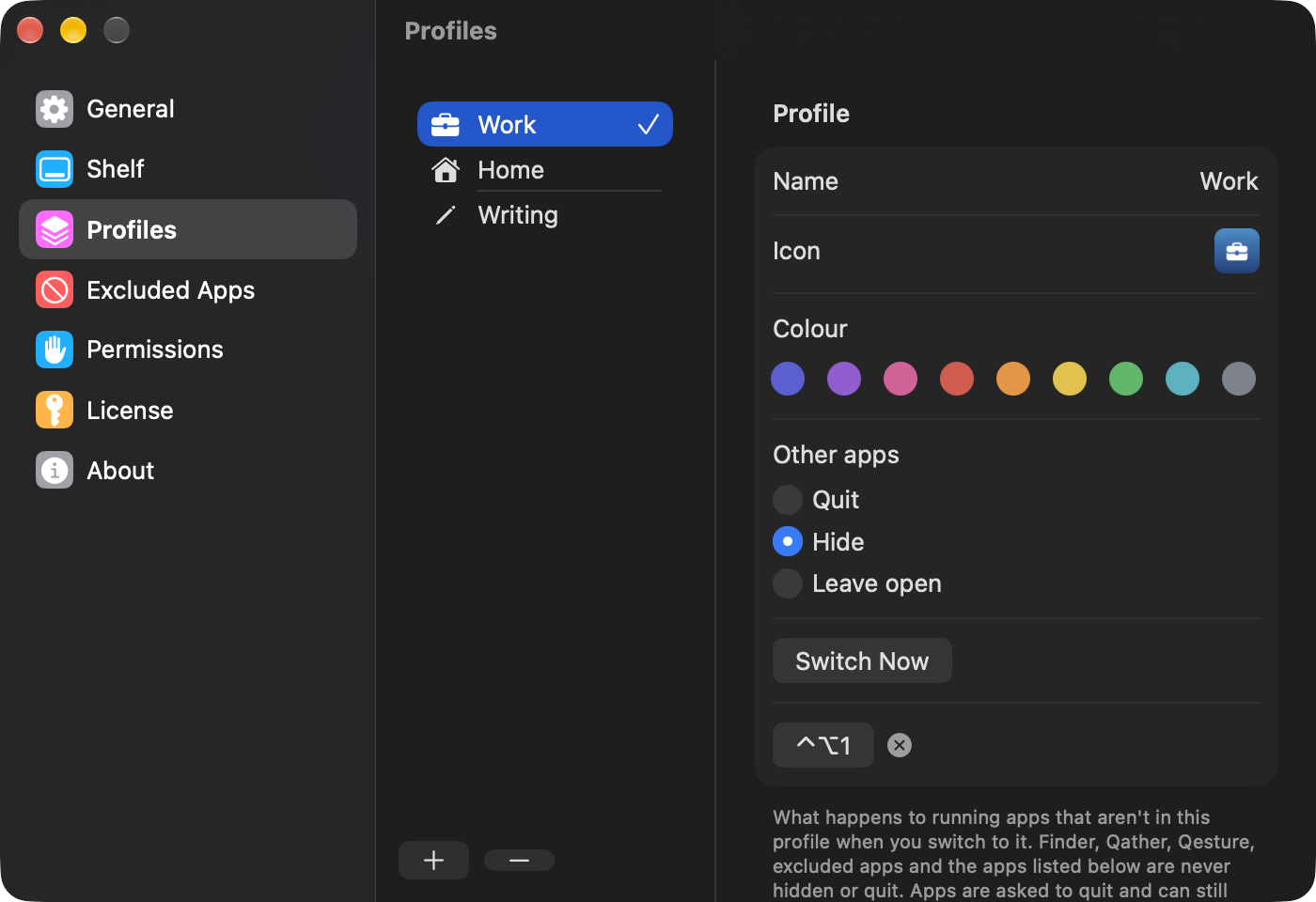 Settings: Profiles · light
Contact
For questions, interviews and review keys: Roman Nikolaev, contact@qeepl.com.